How to control your PC from your phone over Wi-Fi
Your phone can be the mouse, keyboard, and volume knob for your Windows PC. You install one small app on the PC, scan a QR code, and start swiping. There's nothing to install on the phone, no account, and no cloud. Your phone and PC must be able to reach each other on the local network.
LocalTV Remote controls Windows input over a trusted local network. It does not stream the PC screen to your phone or connect over the internet. Controller traffic uses unencrypted HTTP and WebSocket.
What you need
- A Windows 10 or 11 PC
- A phone with a camera and a browser (any iPhone or Android)
- Both devices on the same local network (see how to connect a Wi-Fi phone to an Ethernet PC)
Set up your phone as a Windows remote
- Install on the PC. Download LocalTV Remote and run the installer. This is the only device you install anything on.
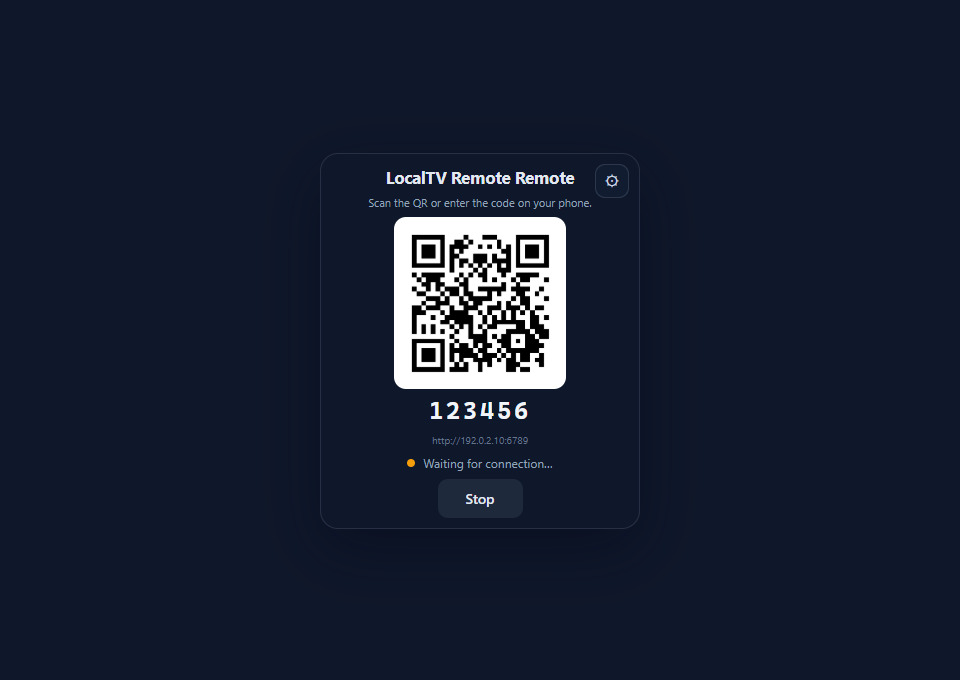
- Launch it. Open the app. A pairing window shows a QR code and a 6-digit PIN.
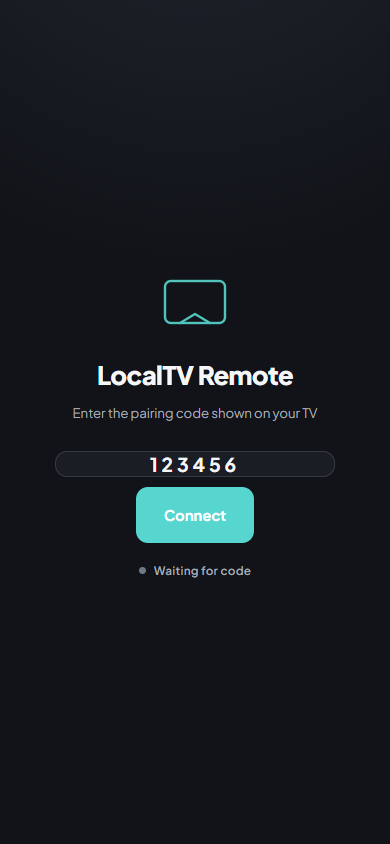
- Scan with your phone. Point your camera at the QR code and tap the link. Your browser opens the controller page.
- Take control. Swipe to move the cursor, tap to click, and switch to the keyboard or volume panel when you need it. Your phone remembers the pairing, so next time it reconnects on its own.
What your phone can do
- Trackpad: move the cursor, left-click, right-click, and scroll
- Keyboard: type text and send key combinations to the PC
- Volume: turn the system volume up or down
- Media: send playback and shortcut keys to applications that support them
- Presentations: advance a focused PowerPoint slideshow with navigation keys
- Power: request sleep or shutdown and confirm the action
Want the specific gestures? See how to use your phone as a mouse and how to type on your PC from your phone.
If your phone can't connect
- Same network: check that the phone and PC are on the same LAN, not a guest network that isolates devices. Follow the Wi-Fi connection checks.
- Firewall: if a rule is missing or blocked, follow the Windows Firewall guide.
- Current address: if the PC's network address changed, quit LocalTV Remote from the tray and launch it again before scanning. See the wrong-IP guide or connect without scanning the QR code.
- Pairing code: if the controller opens but rejects your code, follow the pairing-code checks.
winget install LocalTV.Remote
Windows 10 / 11 · no account, no cloud
Common questions
Do I need to install anything on my phone?
No. You install LocalTV Remote on the Windows PC only. Your phone scans a QR code and opens the controller in its browser, so there is no app to download on the phone.
Does it work over any Wi-Fi?
Your phone and PC need to reach each other on the same local network. The PC can be connected by Ethernet. Guest networks that isolate devices can block the connection.
Is it really free?
Yes. LocalTV Remote is free and open-source under the Apache 2.0 license, with no ads and no paid tier.
Reviewed 2026-10-13. Screenshots show the running product UI with simulated input, volume and power backends; they are interface examples, not recordings of a physical PC being controlled.